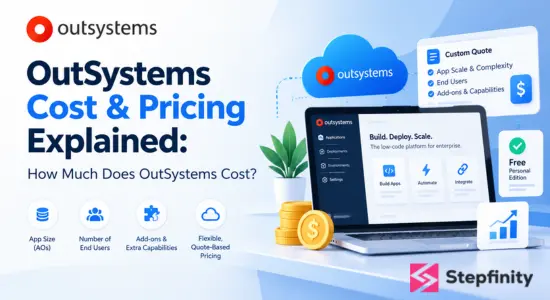
OutSystems has a flexible, quote-based pricing model. OutSystems does not publish a price for its paid plan, OutSystems Developer Cloud (ODC). You will receive a quote based on the size of your apps, the number of users, and any add-ons you may need to support your business. Therefore, you only pay for what you use.
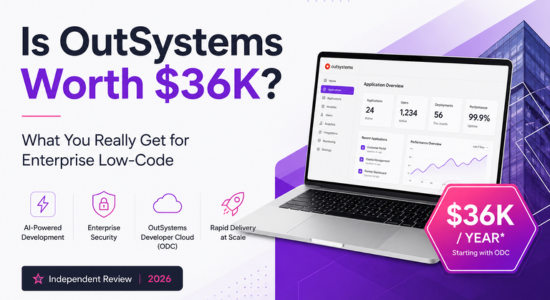
Many third-party review sites state that the starting price is approximately $36,300 per year. However, this is an outside estimate and not an official price. There is also a free Personal Edition available that allows you to try the platform before committing.
If you are researching the cost of OutSystems for a business case, here is the short version:
- Two editions: OutSystems Developer Cloud (paid, quote-based) and OutSystems Personal Edition (free, not for production).
- Three pricing factors: the scale and complexity of your apps, the number of end users, and optional add-ons.
- No extra charge for developer tools: the development environment and CI/CD tools are included with every subscription.
- Estimated entry point: approximately $36,300 per year according to third-party sources, which scales with the apps and users you require.
The rest of this guide will explain what each of those mean, what determines the price, what you get for it, and how to obtain a quote that reflects your actual requirements.
What is OutSystems, and who is it for?
OutSystems is a low-code development platform. Instead of manually writing every line of code, teams build applications primarily using visual tools, and the platform generates the underlying code. OutSystems now identifies itself as an AI development platform for building apps and AI agents, with security and governance built-in.
It is primarily targeted at mid-sized and large organizations that require custom business software, such as customer portals, internal workflow tools, and core operational systems. Brands such as Heineken, Bosch, and Western Union appear on its customer list. This target market influences the pricing: the platform is designed and priced for organizations running business-critical apps, with enterprise-grade infrastructure, security, and DevSecOps included.
Why do organizations choose OutSystems?
Pricing makes more sense once you see what the platform provides. According to OutSystems, every plan includes:
- AI-powered app and agent delivery: Build enterprise-ready apps and AI agents with security and governance built-in, starting from a prompt.
- Full-stack development: Pre-built components handle complex logic and data management, so teams deliver faster.
- Built-in DevSecOps: Deploy with a single click while the platform handles quality assurance and code reviews throughout the app lifecycle.
- Out-of-the-box infrastructure: Modern app infrastructure is ready from day one and easily updated as requirements change.
- Open, standard code: Apps are generated in widely used frameworks and languages, so you maintain long-term flexibility and control.
How does OutSystems pricing work?
According to OutSystems’ official pricing page, subscriptions are priced based on three factors.
1. The scale and complexity of your apps
This is measured in Application Objects (AOs). An AO is a unit that measures the screens, database tables, and API methods across your apps. A typical medium-sized app is approximately 150 AOs, according to OutSystems. The more apps you build, and the more complex they are, the more AOs you use and the higher the cost. Think of it as measuring the size of what you build, not the number of people building it.
2. The number of end users
OutSystems charges based on the non-anonymous end users who use your apps. Internal users (your employees) and external users (customers, partners) are counted separately. Therefore, an employee-only tool and a public customer portal with thousands of logins will be priced differently, even if the apps are the same size.
3. Additional capabilities
Beyond the base plan, you can add extra runtime environments, 24×7 support, a higher uptime guarantee, extra compliance certifications, mobile app shielding, and more. Each one changes the quote.
What you do not pay extra for
The integrated development environment and the continuous integration and continuous delivery (CI/CD) tools are included with any subscription at no extra cost. One third-party review also notes that OutSystems does not charge per developer seat, which is a real difference from many software tools.
What does the paid OutSystems plan include?
A starting ODC subscription includes:
- Three runtimes, one for development, one for testing, and one for production. A runtime is the place where your apps run and where their data resides. Keeping them separate allows you to test changes safely before real users see them.
- 100 internal users to start
- One medium-sized production application to start.
- Hosting in OutSystems Cloud, with a 99.5% uptime guarantee.
- Professional support during business hours (8×5).
- ISO 27001 compliance coverage.
- The full development environment and CI/CD tooling.
Everything beyond that is an optional add-on, so you only pay for what your apps require.
Which add-ons allow you to customize your OutSystems cost?
Developer Cloud is modular. Start with the base package, then add only what your apps require:
- More applications or more complex ones: Scaling beyond one medium-sized app means more AOs.
- More users: You can add internal users and external users as needed.
- 24×7 support: Useful if apps run around the clock and you cannot wait for business hours. 99.95% uptime: An upgrade from the standard 99.5% guarantee, relevant for critical systems.
- Extra runtimes: You can add more non-production and production environments, for example for separate staging or regional deployments.
- Additional compliance: Options include SOC 2 Type II, PCI DSS, and others, which matter for finance, healthcare, and other regulated industries.
- Self-hosting: An on-premises or self-hosted installation is available in certain plans for organizations that need it.
A useful way to read this list: the more critical, regulated, and widely used your apps are, the more of these you will need and your OutSystems cost will depend on it.
How much does OutSystems cost per year? What third-party sources say
Because OutSystems does not publish ODC prices, the numbers you see elsewhere are estimates. Several independent sources point to a similar entry point:
- A Superblocks guide cites Developer Cloud starting at $36,300 per year, including three runtimes, 100 internal users, and standard support.
- Toolradar lists a starting price of roughly $36,000 per year for Developer Cloud.
- A Japanese pricing directory (PRONI Imitsu) also shows $36,300 and up for Developer Cloud, with other terms listed as contact for details.
Treat this as a reference point for early budgeting, not a promise. The real figure depends on your AO count, your user numbers, your add-ons, and what you negotiate. Prices also change, so always confirm with OutSystems before committing a budget.
If the $36,300 estimate holds, that works out to roughly $3,000 per month, though the estimates above are quoted per year.
Why OutSystems does not show a fixed price
The pricing model measures things that vary widely between customers: app size, user counts, environments, and compliance needs. A company building one internal tool and a company running dozens of customer-facing apps are buying very different things. That is why OutSystems asks you to request an estimate rather than showing a single number.
Is OutSystems worth the investment?
OutSystems is built for organizations that want to deliver custom software faster, with enterprise-grade security and governance.
- OutSystems delivers the most value when:
- You need to build several custom business apps and want to deliver them faster than traditional development allows.
- You need enterprise-grade security, governance, and uptime guarantees.
- You want to keep control of your apps: OutSystems generates standard, open code, so you are not locked into a closed format if you ever decide to leave.
- You want to scale from one app to many on a single, governed platform.
What the investment covers:
- Built-in DevSecOps and one-click deployment.
- An integrated development environment and CI/CD tools at no extra cost.
- Out-of-the-box infrastructure, security, and governance for every app.
Reviewers on GetApp point to the platform’s speed, efficiency, and developer productivity as factors that offset the investment, along with faster project delivery. The best way to judge the return for your own organization is to estimate the apps you plan to build and the time you expect to save.
OutSystems vs building from scratch: how to compare the cost
Many teams weigh OutSystems against building custom software from scratch. OutSystems describes its platform as removing the buy-versus-build dilemma: you get custom apps and agents without assembling your own infrastructure, DevSecOps pipeline, and governance tooling. When you compare options, include the cost of all of those pieces, plus the time it takes to deliver your first app.
To make the comparison fair, list what a custom build would need: infrastructure, security, quality assurance, deployment tooling, and ongoing maintenance. Then compare that total with an OutSystems estimate based on the same apps, users, and environments.
How to get an accurate OutSystems pricing estimate
Before you contact OutSystems, prepare these five things. It will speed up the conversation and make the quote more realistic.
- List the apps you plan to build and rank them by complexity. A simple form is very different from a multi-screen system with many integrations.
- Count your users. Separate employees (internal) from customers and partners (external), and estimate growth over the next two years.
- Decide which environments you need. Most teams need development, testing, and production.
- Ask whether you need more. Note your support and uptime needs. Business hours may be fine for internal tools. Customer-facing systems may need 24×7 support and higher uptime.
- Check your compliance requirements. If you work in finance, healthcare, or government, confirm which certifications you need.
Then request an estimate through OutSystems’ official pricing page, or work with an OutSystems partner such as Stepfinity to scope your apps first, and ask for the assumptions behind the quote in writing.
FAQs
Q1. How much does OutSystems cost?
OutSystems cost is quote-based. Third-party sources cite a starting point of about $36,300 per year for OutSystems Developer Cloud, but the final price depends on your apps, users, and add-ons.
Q2. Is OutSystems free?
Partly. OutSystems Personal Edition is free and requires no credit card, and is designed for learning and testing applications. When you are ready for production, the Developer Cloud plan adds the runtimes, uptime guarantee, and compliance coverage that real apps require.
Q3. Does OutSystems charge per developer?
No. OutSystems pricing is based on application size, end users, and add-ons rather than per developer. The development environment and CI/CD tools are included with any subscription.
Q4. What is an Application Object (AO) in OutSystems pricing?
An Application Object is the unit OutSystems uses to measure app scale. It counts the screens, database tables, and API methods across your apps. A typical medium-sized app is about 150 AOs.
Q5. What is a runtime in OutSystems?
A runtime is the environment where your apps run and where their data is hosted. OutSystems lets you separate development, testing, and production runtimes so changes can be tested before real users see them.
Q6. Can I self-host OutSystems?
Yes, but only in certain plans. A self-hosted option is available for organizations that need an on-premises installation, and it is listed as an add-on.
Q7. Is there vendor lock-in with OutSystems?
OutSystems generates standard, open code based on widely used frameworks and languages, which can be extended and integrated with other systems. That helps you keep control and freedom over your applications, and OutSystems notes that many customers choose to stay because of the speed, scalability, and governance the platform provides.
Q8. What affects OutSystems cost the most?
The biggest drivers are the number and complexity of your apps, the number of end users (especially external ones), and add-ons such as 24×7 support, extra compliance certifications, and additional runtimes.
Conclusion: what to remember about OutSystems pricing
OutSystems pricing is flexible by design. It is a quote built from three things: how large and complex your apps are, how many people use them, and which add-ons you need.
Third-party sources point to an estimated starting cost of around $36,300 per year, but your actual OutSystems cost will depend on your own requirements and negotiation.
The practical way forward is to define your apps, users, and compliance needs first, then ask for an estimate with the assumptions written out. With built-in DevSecOps, included developer tools, and room to scale as you grow, OutSystems gives you a platform to build on with confidence.
Planning an OutSystems project? Stepfinity is an OutSystems Partner. Talk to our team to scope and design your apps on OutSystems, estimate your users and environments, and get a quote that fits your goals.

As a technology leader and Co-Founder & CTO at Stepfinity, with expertise in OutSystems, .NET, Azure, cloud technologies, and enterprise application architecture. He specializes in digital transformation, application modernization, and building scalable, secure solutions that align technology with business goals.