
While creating an OutSystems application, you must have heard about the stuff that it’s the best practice of having as few screens as possible, and most of the stuff should be done in blocks as a block is a reusable elements as well as it is also not billable, but the screen is billable.
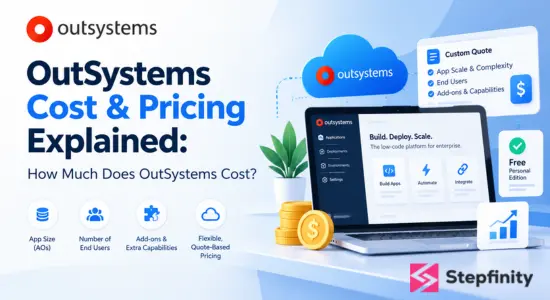
You must have wondered what billable means and how to know which elements in the OutSystems platform are billable and which one is not. Well, there is a term in the OutSystems Application Object, which is also abbreviated as AO. The number of application objects consumed in the application will determine the charge of the application. There are many elements in the OutSystems that are chargeable, and there are even more that are not.
So in this blog, we will discuss about the Application Object in OutSystems, as well as how you calculate it manually for an application.
What are Application Objects
An Application Object, which is also known as AO, is a way to measure the complexity of an application in Outsystems platform. Every screen, entity or database table, API method and events each one of them added to the count of AO of an application.
In other words, we can assume that each element costs us one AO, so the total price of the application is adding up all the chargeable elements that are used in the application. The less the total amount of AO, the better for the company as well as the environment of OutSystems.
Even if you are working on OutSystems’ 11 or OutSystems Developer Cloud, the AO would be counted similarly, except few cases, which we will discuss in the next portion of the blog
Application Objects Counting in an application
After understanding what the Application Object is, let’s discuss all the element which cost AO, and what the exception cases are when these elements aren’t charged.
In this portion, we will talk about the charges of each element, that too in every type of application or environment where there are any different rules or exceptions. It needs to be kept in mind that if there is no explicit mention of anything, then the rules will be applied in all OutSystems 11 as well as OutSystems Developer Cloud.
Screens
Here we will understand in detail the elements of the screen which cost application objects that are in the screen on the basis of OutSystems 11 and OutSystems Developer Cloud, also there could be different rules according to the application type, i.e. traditional application and reactive application.
- All types of screens, whether it is a web screen, email templates, or mobile web screens, each cost 1 AO.
2. Block elements in Outsystems are components that are used inside the screen, so they aren’t charged with any AO
3. Components like Tabs as well as pop-up windows are implemented within the screen without acquiring any extra elements, so they are not chargeable in a **Reactive Web Application**.
4. But tabs and pop-up windows used in the **Traditional Web Application** are considered as a distinct screen, so they would be charged as 1 AO each.
5. Even when tooltips are used inside the screen, they are just components, so they won’t be chargeable either.
Entities or Database Tables
Here we will understand in detail the elements of entities or database tables, which cost application objects that are on the screen on the basis of OutSystems 11 and OutSystems Developer Cloud, also, there could be different rules according to the application type, i.e. traditional application and reactive application.
- Entities that are created inside the OutSystems application, regardless its normal entities or static entities, cost 1 AO each.
2. Entities that are being imported from external databases, which are being integrated, will cost 1 AO for each table and view.
3. If the entities or database is being migrated from Outsystems 11 to ODC, then there will be no charges.
4. Entities of mobile applications, that is, local storage entity also cost 1 AO for each entity.
5. Static entities, even when they are included in a library, will cost 1 AO for each.
6. The in-built tables which are created in OutSystems will not be chargeable.
API Methods
Here we will understand in detail the elements of API methods that cost application objects which are on the screen on the basis of OutSystems 11 and OutSystems Developer Cloud, also there could be different rules according to the application type, i.e. traditional application and reactive application.
Each API method will cost 1 AO when :
- It is imported through Data Fabric.
2. Consume through AI Models.
3. Creating or consuming through REST & SOAP Web Services within each library costs 1 AO.
Each API method that is created in REST & SOAP Web Services in each application will be charged as 1 AO.
Each API method that is consumed in REST & SOAP Web Services in each application will be charged as 1 AO.
APIs that are inside the C#-based extensions will not be charged at all.
Events
Here we will understand in detail the elements of custom-defined events that cost application objects that are on the screen on the basis of OutSystems 11 and OutSystems Developer Cloud, also there could be different rules according to the application type, i.e. traditional application and reactive application.
Custom-defined Events, or the events that are not pre-build will cost 1 AO each in OutSystems Developer Cloud.
Any type of event, whether they are prebuild or custom-defined, will not be charged in OutSystems 11.
It needs to be paid attention to that block events and lifecycle events that are [onInitialize, OnRender, OnReady, OnDestroy, OnParameterChanged] are not chargeable.
Conclusion
As we have gone through what Application Objects are, as well as on what elements they will be charged, and the exception cases when they are not charged, can help a developer to understand the cost of the code and if they program carefully, they can save a lot of money for their client as well as their company.
I hope you have found this blog informative and valuable. If you want to read blogs like these whenever we post, subscribe to our newsletter.
Happy Coding!!!

As the Co-founder & CEO and Senior Architect at Stepfinity Software, I have been delivering OutSystems development solutions since 2014. I specialize in architecting scalable, business-driven applications that bridge low-code and high-code development. With expertise in OutSystems, .NET, REST APIs, system architecture, OCR, NLP, web scraping, and enterprise application development, I have successfully delivered complex solutions across healthcare, EV charging, claims management, loan origination, and other industries.