
In an era where speed and efficiency are paramount, low-code development platforms have emerged as vital tools for businesses. OutSystems stands out as a leading low-code app development platform, enabling rapid creation and deployment of applications. This guide explores the features, benefits, and use cases of the OutSystems platform, demonstrating how it can transform your business’s app development processes.
What is OutSystems?
OutSystems low-code app platform designed to accelerate the development of enterprise-grade applications. It combines visual development tools, pre-built templates, and robust integration capabilities to streamline the app creation process. By minimizing the need for manual coding, OutSystems allows developers to focus on functionality and user experience.
Key Features of OutSystems Low-Code App Development Platform
- Visual Development Interface
- Drag-and-Drop Functionality: Build applications using a visual interface that simplifies design and development.
- Model-Driven Development: Create your data models, application logic, and user interfaces using intuitive visual tools.
- Pre-Built Templates and Components
- Reusable Components: Access a library of pre-built modules and components to expedite development.
- Customizable Templates: Easily modify templates to suit specific business requirements and branding.
- Full-Stack Development
- Unified Development: Manage both front-end and back-end development within the same platform.
- One-Click Deployment: Deploy applications with a single click, streamlining the release process.
- Scalability and Performance
- Auto-Scaling: Automatically scale applications to accommodate increased loads.
- Performance Monitoring: Track application performance in real-time to ensure optimal operation.
- Security and Compliance
- Built-In Security: Implement comprehensive security measures to protect applications and data.
- Regulatory Compliance: Ensure applications meet industry standards and regulations.
- Integration Capabilities
- API Integration: Seamlessly integrate with existing systems and third-party services using APIs.
- Legacy System Integration: Connect with legacy systems to extend their functionality.
- Collaboration and DevOps
- Real-Time Collaboration: Enable simultaneous collaboration among team members on the same project.
- DevOps Integration: Integrate with DevOps tools to streamline the development lifecycle.
Benefits of Using OutSystems
- Accelerated Development
- Reduce development time significantly by utilizing visual development tools and pre-built components.
- Quickly prototype and iterate applications to meet evolving business needs.
- Cost Efficiency
- Lower development and maintenance costs by reducing the need for extensive coding and faster delivery.
- Optimize resource allocation by minimizing the need for specialized IT skills.
- Improved Agility
- Respond swiftly to market changes and new requirements with rapid iteration capabilities.
- Enable continuous improvement and innovation with flexible development processes.
- Enhanced Collaboration
- Foster collaboration between business and IT teams through a shared visual development environment.
- Ensure alignment of development efforts with business objectives.
- High-Quality Applications
- Maintain high standards with automated testing and real-time performance monitoring.
- Deliver robust and reliable applications with built-in security features.
- Scalability
- Seamlessly scale applications to meet growing business demands.
- Handle increased user demand without compromising performance.
Use Cases for OutSystems
- Enterprise Applications
- Develop custom applications tailored to specific organizational needs.
- Streamline internal processes and improve operational efficiency.
- Customer-Facing Applications
- Create engaging, user-friendly applications for customer interaction.
- Enhance customer experience with responsive and feature-rich applications.
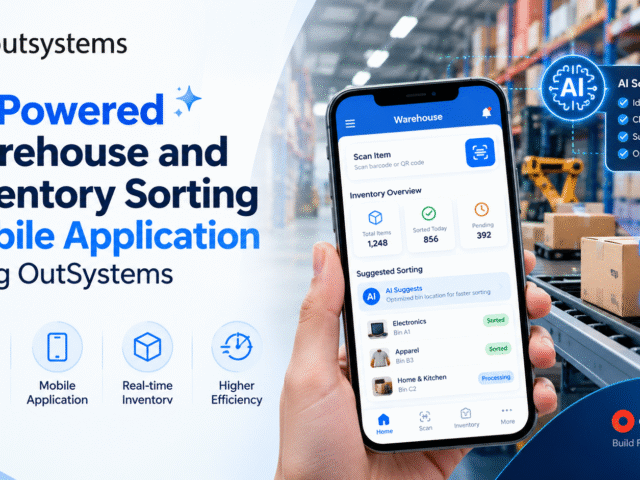
- Mobile Applications
- Build cross-platform mobile applications easily.
- Ensure consistent performance and user experience across various devices.
- Legacy System Modernization
- Integrate modern applications with legacy systems to extend their lifecycle.
- Improve functionality and user experience without complete system overhauls.
- Process Automation
- Automate repetitive tasks and workflows to boost productivity.
- Implement business process management solutions quickly and efficiently.
Getting Started with OutSystems
- Sign Up for OutSystems
- Visit the OutSystems website and sign up for a free trial or choose a subscription plan.
- Install Service Studio
- Download and install OutSystems Service Studio, the visual development environment for building applications.
- Explore Tutorials and Resources
- Utilize the extensive tutorials, documentation, and community resources available to learn the platform.
- Build Your First Application
- Start with a simple project to familiarize yourself with the development process.
- Use pre-built templates and components to accelerate your progress.
- Join the Community
- Engage with the OutSystems community to share knowledge, seek advice, and stay updated on the latest developments.
Conclusion
The OutSystems low-code app development platform is a powerful tool for businesses aiming to accelerate innovation and stay competitive. With its comprehensive features, ease of use, and seamless integration capabilities, OutSystems empowers developers to build high-quality applications rapidly. Whether you need to streamline internal processes, enhance customer engagement, or modernise legacy systems, OutSystems provides the tools and flexibility needed to achieve your goals efficiently.

As a technology leader and Co-Founder & CTO at Stepfinity, with expertise in OutSystems, .NET, Azure, cloud technologies, and enterprise application architecture. He specializes in digital transformation, application modernization, and building scalable, secure solutions that align technology with business goals.