Organisations today want generative AI to produce text, images, and/or code, but they also need AI systems that understand their organisation’s goals and objectives, determine the best way to achieve them using the organisation’s data and tools, and implement those decisions with minimal human intervention. This is why there has been an increasing adoption of agentic artificial intelligence (AI) in the enterprise market.
Enterprise-wide systems that utilise artificial intelligence (AI) to achieve their objectives would provide many benefits for large organisations by allowing them to create, implement and monitor goals while minimising the need for manual intervention from employees. Most organizations are currently attempting to integrate AI agent technologies into their operational systems; however, they have been unable to successfully implement them due to the fragmentation of data across various departments, the lack of effective governance over these technologies, and the use of numerous different AI tools by each department within the organization, leading to what is referred to as “AI sprawl”.
This is where the OutSystems Agent Workbench comes into play.
Agent Workbench provides a single platform to develop, implement, manage, watch and govern multiple AI agents within your enterprise. It allows organizations to move from using multiple individual AI agents to utilizing a single agent platform.
Whether you’re a CTO, enterprise architect, digital leader or OutSystems developer, this article was designed to teach you about AI agents, low-code AI agents, and how to build AI agents with OutSystems.
Why Enterprises Fail to Utilize AI Agents in Production
OutSystems CEO Woodson Martin has stated that legacy systems, siloed data, fragmented AI tools, and complex AI development cycles are the primary reasons why enterprises fail to utilize AI agents in production.
An enterprise AI agent builder must have access to the correct data, be able to interact with existing systems, and operate safely within the business. An agent that does not have access to the correct data will provide inaccurate answers. An agent that cannot connect to legacy systems cannot take actions. And an agent without governance will not receive approval to go into production. Any serious enterprise AI agent builder must address all three issues simultaneously, and not one at a time.
What Is OutSystems Agent Workbench?
OutSystems Agent Workbench is a low-code environment where developers can build enterprise AI agent workflows with visual components, configuration, and reusable elements, instead of writing every line of code from scratch. OutSystems Agent Workbench allows enterprises to integrate individual AI agents into an OutSystems Agentic AI environment. For example, an enterprise has:
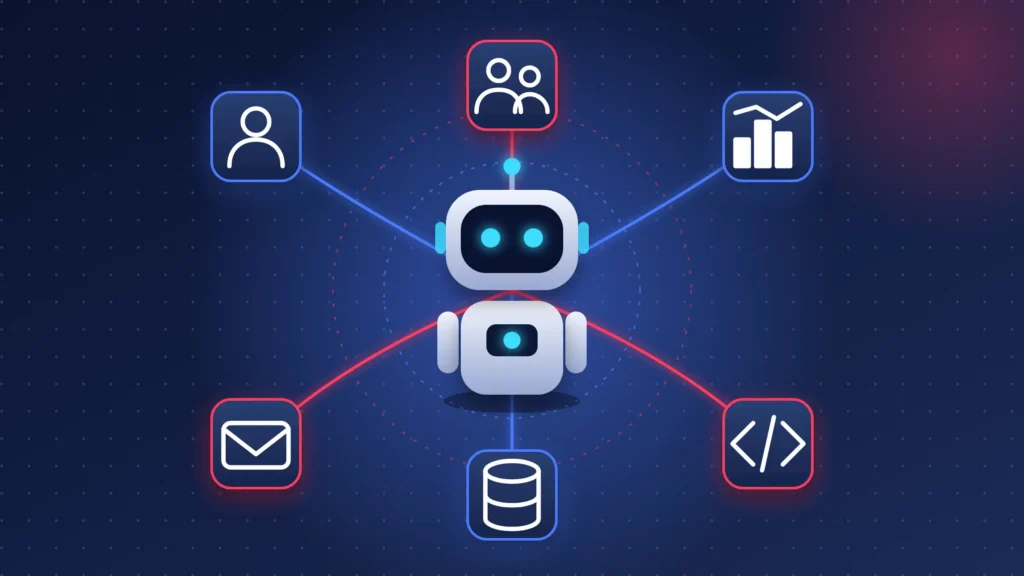
CRM: for customer information
HR system: employee information
ERP: business/financial information
Email: communication
Databases: for internal data
APIs: for connections between different systems
An agent may be very effective on its own; however, if it cannot access these systems, its effectiveness will be limited. If an agent needs to access customer information and databases but cannot connect to those systems, it cannot complete the required task.
To resolve this issue, developers can use OutSystems Agent Workbench to connect all applications within the OutSystems platform, where they can select the language model and track performance regularly. The agents within the system can work with existing applications, data, and workflows while adhering to specified governance and end-to-end monitoring with human-in-the-loop. OutSystems provides a mentor, an AI tool that assists developers in building applications faster; the Agent Workbench extends this AI-assisted approach to agents.
Agentic AI vs Generative AI: What Is the Difference?
Generative AI is an LLM that responds to queries and generates images, videos, or requested items. Agentic AI goes beyond just responding and generating requests. It can pursue the request. It can reason about it, access data, use tools, and take actions as per the requirement.
The difference between Generative AI and Agentic AI can be seen in this example:
Generative AI: Request: “Write an email for employees with less than 5 pending paid leaves”
In this case, generative AI reads the request and generates the required text.
Agentic AI Request: “Access HR portal, find all employees with less than 5 pending paid leaves and check if there are any conflicts, and prepare a report”
In this case, agentic AI can understand the request, access company data, access employee information, use required tools, and prepare a report.
The main difference between Generative AI and Agentic AI is that Agentic AI has the ability to pursue the request instead of just responding to the request.
Key Capabilities of Agent Workbench
Agent Workbench so far is understood as a low-code environment where agents can access, read, analyze, and pursue the goal. Now let’s understand its capabilities more fundamentally to know what it can actually do and build for your business.
- A unified data foundation
To run or pursue a task, the agent needs access to business information that is relevant to the task. The information can exist across different locations and systems inside an enterprise. Agent Workbench has the capability of bringing different types of enterprise information stored at different locations from data lakes and internal databases together through a data fabric. It can also retain information from previous interactions and retain the context to pursue the task.
- Model choice and open standards
In the Agent Workbench workflow, developers are not restricted to using any specific model, they can explore large language models with options like Anthropic, Cohere, Google, IBM, Mistral, and OpenAI. They can connect their systems with external tools and information using the Model Context Protocol (MCP).
- Visual multi-agent design
Agent Workbench eliminates the need for hand-coding orchestration logic, meaning developers can visually design and develop multi-agent workflows with a drag-and-drop interface.
- Built-in observability
Developers can test agents, see how they are behaving, monitor their performance, and can track things such as quality and their cost in real time. OutSystems was named a Leader in G2’s 2026 AI Agent Builder Grid with its built-in observability.
- Human validation
When a task could affect or include money, legal matters, customer conflicts, etc., AI agents do not necessarily need to make decisions. They can be given guardrails to include human
approvals or human-in-the-loop wherever necessary.
How to Build AI Agents in OutSystems
Building AI agents in OutSystems should be done systematically. Below are the five steps Stepfinity uses to build AI agents in OutSystems.
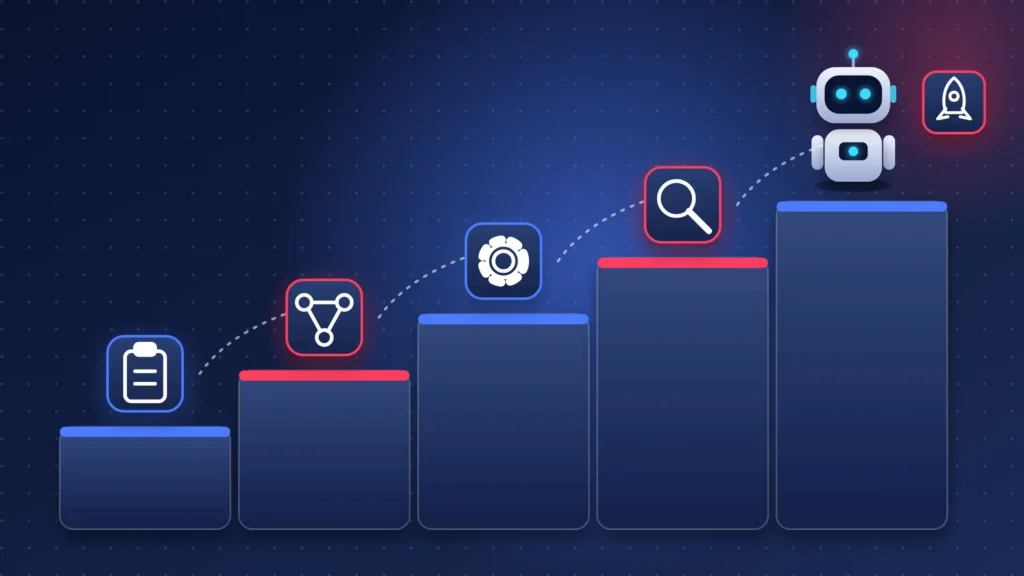
1. Understand the Process: Select one process with a clearly defined business objective (e.g., loan document review, customer issue escalation). List all decisions made by the individual performing the process.
2. Design the Agent: Determine what functions the agent will perform; what data it has access to; and at what point its authority ends. Determine which decisions require human approval.
3. Build in OutSystems: Build the agent in Agent Workbench; connect it to the appropriate data sources and systems; choose the proper language model; and integrate it into the existing application.
4. Test in Shadow Mode: Run the agent simultaneously with the manual process and compare its decisions to those of your team prior to deployment.
5. Deploy & Govern: Deploy with audit trails; monitor quality and cost; and continually improve performance.
Start Small. An agent that is focused and accepted by your organization will provide you with more knowledge than a large-scale trial that does not get deployed and provides experience that can be applied to future agents.
Shadow Mode is particularly important. Because the agent’s decisions are compared to those of humans before deployment, teams have documentation regarding the accuracy of the agent’s decision-making capabilities and can make adjustments to instructions, limits, and escalation rules without risking operational activities.
Multi-Agent Workflows in Low Code Environments
A single agent is responsible for a single task. Most business processes involve multiple steps and various types of expertise. Multi-agent workflows distribute the work among multiple specialized agents who collaborate. For example, one agent may extract data from documents; another agent may verify this data against company records; and a third agent may recommend an action for a human reviewer.
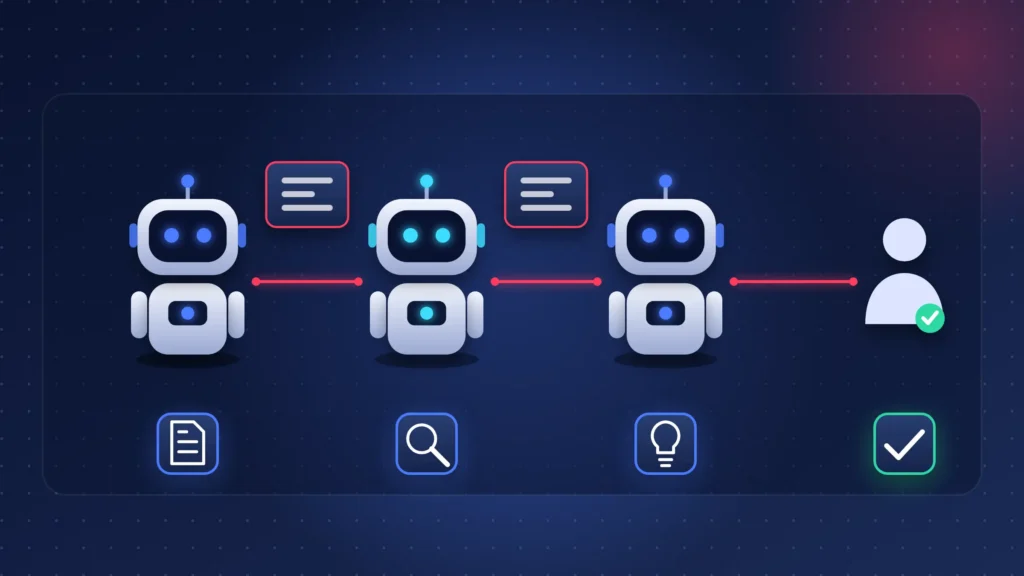
Agent Workbench supports multi-agent workflows, including collaboration between agents, escalation of issues, and human intervention as necessary. Since the workflow is visually represented, architects can view the flow of work between agents rather than having to read through code. In addition, low-code provides a practical advantage: the design of the workflow, application logic, and integrations all reside within a single platform.
Typical agent types include process agents for rule-based workflows, transaction agents that securely execute using backend logic, reconciliation agents that match data between legacy and modern systems, and decision co-pilots that suggest the next best action.
Where Are Enterprises Using Agent Workbench?
OutSystems provides several examples of how organizations are using Agent Workbench, including loan underwriting and talent recruitment. Several of the first organizations to use Agent Workbench have also reported positive results:
• Grihum Finance created an agent to identify technical issues during the loan origination process and reported 70% faster customer onboarding.
• Axos Bank was one of the first organizations to participate in the early access program for Agent Workbench and continues to use the platform to automate log analysis and document processing.
• Thermo Fisher Scientific deployed a customer escalation agent that can understand unstructured data from customer interactions and eliminate manual triage.
KPMG’s Low-Code Centre of Excellence has stated that Agent Workbench provides the speed-to-value and governance guardrails that organizations expect when developing with OutSystems. Organizations that are highly dependent on processes will likely see the greatest benefit.
Enterprise AI Agent Governance
Governance refers to controlling what an agent can access, what it can do, and who reviews its work. For CTOs, this is often the deciding factor, because an agent that acts without oversight is a risk, not an asset. Strong enterprise governance includes five areas:
• Explicit boundaries: Set programmatic limits on what the agent can do so unexpected behavior cannot reach critical systems.
• Human-in-the-loop: Agents should pass information back to a person for validation on high-stakes decisions. Many teams also halt automation and route the case to a specialist when the agent’s confidence drops below a set threshold.
• Audit trails: Every action and decision should be traceable, especially in banking, insurance, and healthcare.
• Continuous monitoring: Track agent quality, behavior, and cost across the enterprise, not only at launch.
• Data protection: Define how enterprise data is accessed and make sure agents do not retain sensitive information beyond the task.
Agent Workbench supports this approach through lifecycle governance, end-to-end monitoring, and enterprise-wide visibility into agent performance. The difference with a bolted-on tool is that these controls come from the same platform that runs the application. That keeps oversight consistent from design through to production, which is what risk and compliance teams look for before they approve an agent.
Build In-House or With an OutSystems Partner?
Teams with strong OutSystems skills and AI architecture experience can start internally. A partner adds the most value when you need a first agent in production quickly, must integrate with legacy systems, or want governance designed correctly from day one.
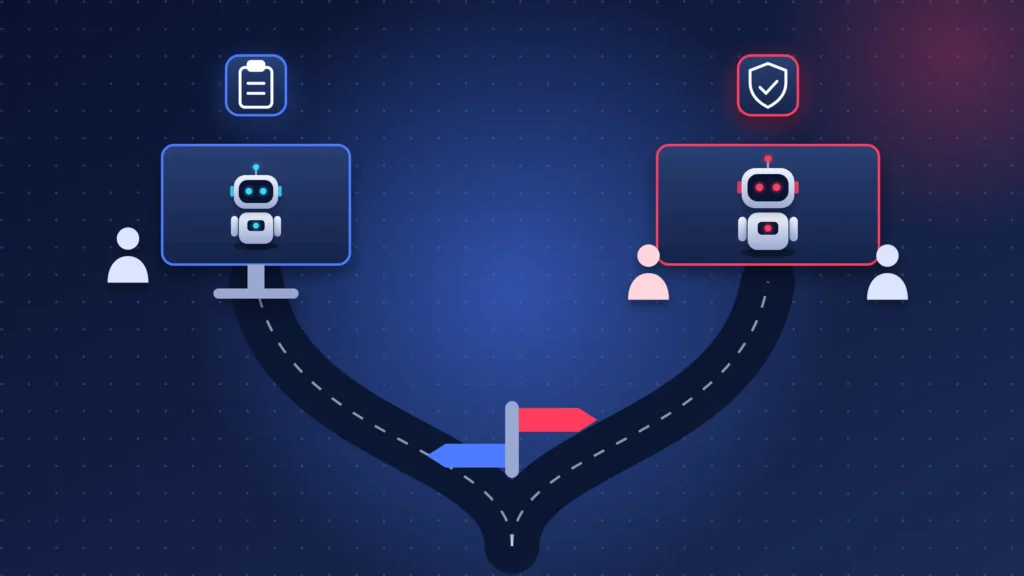
Stepfinity is a certified OutSystems Silver Partner that builds agentic AI inside existing OutSystems environments, connecting business logic, approval processes, and legacy APIs on one platform. You can explore the OutSystems agentic AI services or learn the basics in our guide to the OutSystems low-code platform. If you are still comparing platforms, see how OutSystems stacks up against Power Apps and Appian.
Conclusion
AI agents create value only when they run safely inside real business processes. OutSystems Agent Workbench gives enterprises a way to build them with data access, model choice, visual design, and governance in one place. If you are planning your first production agent, talk to Stepfinity’s OutSystems team about scope, timeline, and architecture. Start with one process, one agent, and clear boundaries, then expand as trust grows.
Frequently Asked Questions
Q1. What is OutSystems Agent Workbench?
It is a low-code tool inside the OutSystems platform for building, deploying, and monitoring AI agents. It combines visual design, data access, model choice, and built-in governance.
Q2. How do you build an AI agent in OutSystems?
Choose a clear use case, define the agent’s limits, build it in Agent Workbench with the right data and model, test it alongside the manual process, then deploy with monitoring and audit trails.
Q3. What is the difference between agentic AI and generative AI?
Generative AI creates content or answers. Agentic AI pursues a goal, makes decisions, and takes actions across systems, which is why it needs stronger governance.
Q4. Can Agent Workbench use different AI models?
Yes. Developers can choose the language model for each agent, including models from Anthropic, Cohere, Google, IBM, Mistral, and OpenAI.
Q5. What are multi-agent workflows?
They are workflows where several specialized agents collaborate on one process, with escalation and human intervention when needed.
Q6. Is Agent Workbench suitable for regulated industries?
Its lifecycle governance, monitoring, and human validation features are designed for enterprise control. Regulated teams should still define their own approval rules, audit requirements, and data policies before any agent goes live.

As a technology leader and Co-Founder & CTO at Stepfinity, with expertise in OutSystems, .NET, Azure, cloud technologies, and enterprise application architecture. He specializes in digital transformation, application modernization, and building scalable, secure solutions that align technology with business goals.