
The software industry is in great revolution today; there are technologies that are being abandoned for the new ones, while accuracy and speed become major tools to drive the decision rather than just technology.
Today’s CTOs (Chief Technology Officers), enterprise architects and financial directors are no longer skeptical about whether the low-code application platform is capable of building an enterprise-level application or not. But the question shifts to which one should be perfect for their application and business cash flow.
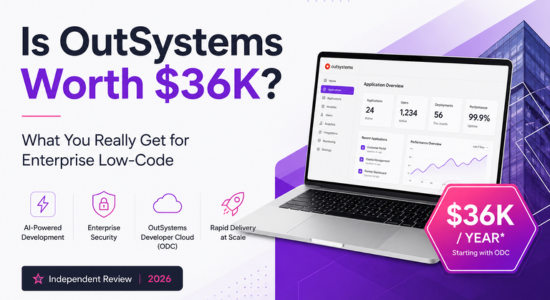
While evaluating the options of Low-Code Platform Application, the one platform whose name pops up in every positive aspect of this evolution, whether it is performance, speed, or development extension capabilities, is OutSystems. OutSystems isn’t just the first low-code platform, but it’s one of the top platforms. But while OutSystems position itself as a premium enterprise-grade solution for development, but they cost around $36,000 per year and when the application scales, the cost can easily go to 6 figures.
While there are many other cheaper alternatives providing the same low-code facility with drag-and-drop features, they are also open-source low-code engines and a cloud-native ecosystem. Platforms like Retool, FlutterFlow, Microsoft Power Apps, and many other apps, which can create applications and can be aired in half the cost. So, the OutSystems users are overpaying?
Well, in this blog, we will look into this closely to understand if OutSystems is paying $36,000 per year, or if people move to a better alternative.
But before we start judging OutSystems or any other platform, let’s first point out all the topics we are going to cover in this blog.
So, now that we have a blueprint of the blog, let’s dive into our first topic, the economics of low-code.
1. The Economics of Low-Code: Understanding the $36K Starting Line
Before we dive into the deeper and more serious topic, first let’s understand the most basic difference that why OutSystems is considered a premium, enterprise-level application while the other alternatives normally charge per-user or offer open-source codebases.
OutSystems
If we talk about the OutSystems stack, then it’s a platform which have unified, full-stack compilation factory and an automated DevOps engine.
Let’s discuss about it in simple words.
So, OutSystems isn’t just a full-stack development platform where the team can execute the application lifecycle engine. But that’s not it, the platform doesn’t just provide a graphical interface layer, but it also can convert the code into the standard .NET C# source code, which can contain the built-in Object-Relational Mapping (ORM) database layer, a localised container management system, and an engine which can automate the DevOps operations.
OutSystems isn’t just a low-code tool, but a software development platform where the team can develop, deploy and maintain the code under the same ecosystem.
Cheaper Alternative
When we talk about the cheaper version of the OutSystems, then they mainly provide an low-code interface builders which have the ability to integrate the external database or API to their elements.
In simple terms, we can say that a cheaper alternative, such as Retool, works best where your application already has an existing database and just needs to build the internal administrative code.
On the other hand, FlutterFlow’s main concern was always creating the client-side user interface with low-code. These alternatives open the doors of low-code for small development teams that are finding a cheaper alternative, but these platforms don’t really host the proprietary backend engine or automate cross-application compilation pipelines; their outsystems pricing models remain accessible to small development teams.
2. Underlying Architecture: Compilation vs. Component Stitching
One of the main differences between the premium enterprise-level application and a lower-cost alternative. As the biggest difference is never the technologies used to create the application or how effective the platform is, but how the platform executes an application and how strong the execution engine is. The main thing is about the background process.
So let’s understand the difference between the two platforms.
OutSystems: Native Code Synthesis and Independence
OutSystems is a low-code platform where developers can create the backend logic for the front-end screen and much more stuff. But when the application is published, the platform doesn’t convert it into a loose script, but into a standard .NET C# code which can run at the bare-metal speed in the server, ensuring that the speed and performance of the application isn’t compromised just because the technology for the creation of the application is changed.
But that’s not it, OutSystems also provide a cleaner exit path for the organizations or the vendors who wanted to discount the development from the platform or terminate the licenses, they won’t miss their developed application, but the platform provides them chance of turning their application into the source code of .NET C#, so that they can use somewhere else or deploy their application without constant dependency of OutSystems.
Cheaper Alternatives: Interpreted Frameworks and Locked Metadata
The cheaper alternative platforms don’t really convert the visual interface of the application into the source code. Still, these are normally the visual wrappers around the standard JavaScript frameworks, due to which the types of application or the interface which can be created by these platforms are limited and sometimes even repetitive. At the same time, customisation is not only rare but also very difficult in these platforms.
Meanwhile, another drawback which could be seen in these platforms is that they can’t build an independent application, which means that if the vendor terminates the subscription or the open-source project loses support, then they will lose the application without any exit door at all. This means that the application can only survive inside the platform’s ecosystems.
3. Advanced Data Modelling and Storage Architecture
Data has always been one of the most important factors inside an application or website; without data, the websites and applications would be of no use, they would be just a dummy.
So the company ensure that they have accurate and reliable data to engage traffic and their customers. But what matters more than data is the speed of data fetching or data retrieving, as with the short attention span of today, having the most reliable data is not enough if the application cannot load it on time.
So, if the platforms aren’t normalising the data sufficiently so that the data retrieval can be fast, there can be more than just a performance issue for the side, so let’s understand how OutSystems and its other alternatives handle the situation and make it lean towards it.
OutSystems: Enterprise Relational Mapping
OutSystems is a platform that integrates the database with the visual data modellers directly. Which means that when visual entities are created, they are automatically mapped to the physical table which are inside the relational database engine. Which means there is a clear mapping of the visual model and the real table from the start, which ensure their is no ambiguity during the time of conversion or the compilation.
But that’s not it, it also provides the developers visual query elements and liberty to write raw SQL when fetching data from the aggregate becomes complex or less effective.
While there is a separate integration file in the Logic tab, which lets the vendor integrate from the external database, ensure there is no restriction on the database or query during the time of development.
Cheaper Alternatives: API and External Database Reliance
The cheaper alternative really isn’t prepared for the storage or data modelling. Well, I am saying that because most of the commonly used cheap low-code platforms either don’t have a database at all, or the visual elements make the database transaction, which could include millions of records, almost impossible and even if the platform can commit the transactions, it will be very slow and less effective.
So, if we talk about the platforms that don’t have any internal database, examples of these platforms are Retool and Appsmith, which mainly work by retrieving data from an external database or API.
While these platforms work flawlessly for the creation of data-centric screens like Dashboard or analysis report, they can’t create as strong logic, and at the same time, the database, schema migration, backup routing and all other database management operations need to be done separately.
4. Custom Code Extensibility: Escaping the Visual Cage
A low-code platform is not the absolute replacement for traditional coding; it’s just the limit to which it has the power to avoid it before opening the gate for the core coding is what matter.
As we know, all the low-code platforms have limited features, and there will always be a time when the client demands something different, something which actually isn’t solely possible through the platform; that’s when the custom code extensibility comes to the picture.
If the platform is open for extensions that can extend the features of the application, it won’t be a regular incident of a stuck-up development process when the client wants something new, but if not, then things can get a bit serious. In this section, we are going to discuss about the how OutSystems and other alternative platform works reacts to code extensibility.
OutSystems Extension via Native C#
There are times when OutSystems features touch its ceiling, but the requirement isn’t over, it needs more of something which isn’t available in the platform. But no worries, OutSystems is already prepared for these circumstances, as it gives liberty to its developers to extend the functionality of the existing element or make a new functionality altogether in C# in Integration Studio and export it with just a click to your application.
But writing just raw C# isn’t all; the developers can work with open-source packages via NuGet, or link old, proprietary corporate .dll libraries, and these extensions will be compiled directly into C# with the core app binaries and executes it natively on the server with zero middle translation or network delay.
Cheaper Alternatives Extension via JavaScript
The cheaper alternative of OutSystems mainly works on either client-side extension or server-side extension, which are created through JavaScript or TypeScript sandboxes. While this makes the extension highly accessible to certain areas, the issue is that one cannot natively execute unmanaged or compiled languages like C++ or C# directly through the platform.
If one has to process heavy computational or proprietary legacy SDKs, then the developers must offload the logic to external cloud environments, for example, AWS Lambda, and then they can connect them back through APIs, introducing network overhead and architectural fragmentation.
5. Comprehensive Value Comparison Matrix
Now that we have covered some of the most important comparison parameters of the OutSystems Platforms and other alternatives, there are times. Below is a table where we have summarised the discussed topics as well as some of the other small differences that can majorly impact the decision about whether you should choose OutSystems or not.
| Technical & Operational Metric | OutSystems (Premium Low-Code) | Low-Cost & Open-Source Alternatives |
| Upfront Annual Starting Cost | High (Typically $36,000+ entry tier). | Low to Free (Per-user monthly or open-source). |
| Code Generation Output | Compiles to standard, native Microsoft .NET C#. | Interpreted metadata or loose JS framework blocks. |
| Database Engine Control | Native ORM mapping with raw SQL node access. | Bring Your Own Database relies entirely on external APIs. |
| Cross-App Dependency Checking | Automatic; LifeTime system flags breaking changes. | Non-existent; requires manual regression testing. |
| Custom Code Standard | Standard .NET C# via Microsoft Visual Studio. | Sandboxed JavaScript or custom external microservices. |
| Exit Strategy Security | High: platform detaches and exports raw C# source code. | A variable often results in complete runtime lock-in. |
| Hidden TCO Drivers | High initial licensing entry barrier. | Per-seat licensing growth or internal DevOps labor. |
| Primary Target Use-Case | Core transactional systems and major consumer apps. | Internal administrative panels and mobile prototypes. |
6. The Strategic Verdict: Is the $36K Premium Justified for Your Team?
As many of us have understood by now, OutSystems is a powerful platform for software development, and it deserves the reliability as well as the premium enterprise-level image, as it isn’t just an application development platform but the software creation factory which can create and deploy applications without compromising any performance or the speed of the application.
But as true it is that OutSystems is one of the top low-code platforms, it is also true that not everybody needs to have OutSystems and has to pay around $36,000 per year for an application. So, in this section, we are going to discuss about the facts and furthermore the situations or scenarios when one should opt for OutSystems and when one shouldn’t.
So, let’s discuss.
When OutSystems is Worth Every Dollar
OutSystems can be proven as one of the best choices when you are planning to replace your years-old legacy enterprise systems with something evolving and more advanced in technology, and the application actually demands high-throughput transactional engines, or the company wants to launch a public-facing application which have to serve millions of users, and the speed of transactions shouldn’t be impacted by it.
OutSystems will be worth every penny when your application needs the total relational database control, native C# execution speed, as well as the portfolio-wide DevOps dependency tracking and even after all these capabilities, if the vendor or organisation isn’t really sure, they can still have a clean and clear exit pathway, officially led by OutSystems.
When You Should Choose a Cheaper Alternative
There will be requirements where you don’t exclusively require an OutSystems partner and can choose cheaper alternatives, because choosing development should be based on emotions, but well-informed and calculated decisions.
An organisation is overpaying for OutSystems if the primary goal of it is to build a user interface rather than an impulsively complex logic-based application, that too for internal consumption, or the number of users is very low.
While there are other use cases like if the application is mainly based on dashboard or data analysis or when the requirement is just about forms and CRUD operations at most and the organization already have an existing database which could be cloud based or exposed REST APIs than the organizations are recommended to have choose a platform like Retool or Flutterflow to create the user interface which could be done in hours and that too with the fraction of the cost which one needs to pay for the commiting with OutSystems.
FAQ
Q1. Is OutSystems full stack?
Yes, OutSystems is a full-stack development platform for everyone, there is no boundary of what a developer can do in the platforms while the frontend as well as backend development became so easy that everyone can take new roles, like backend developers can easily build an Screen and it’s respective UI in half the time without much struggle, which frontend developers can build the logic according to requirement, there is no wall between the two roles, no stopping point for developers and no switching of the tools.
Q2. Will AI replace full-stack dev?
No, AI cannot replace full-stack developers, not in the near future. Yeah, there are chances that the role and responsibilities which the full-stack developers handles can be altered as in the near future, AI will be smart enough to handle repetitive coding, boilerplate generation, and basic debugging.
But the developers who can embrace the power of AI and work accordingly will be able to create system architecture, business logic, security and complex problem-solving.
So we can conclude that no, AI will not replace full-stack developers from the industry, but it will modify the roles and responsibilities they handle.
Q3. Which 3 jobs will survive AI?
The jobs which will survive this intensive era of AI replacement and AI speed are the one which include a skill which developed with experience and not just with repetition, or where art or emotions are involved.
So, the jobs like Healthcare Professionals, like doctors or nurses, Skilled Workers like carpenters, electricians and Artists or Creative Business Strategists are some of the roles which are not replaceable till now.
Q4. What is the 30% rule for AI?
The 30% rule for AI in today’s industry is the base structure for how much an individual should use AI for the help and how much should be done by them so the work will have the accuracy of AI but the critical judgement, creativity, strategic thinking and empathy of human force who worked on the same thing for years and can think of all the possible dimension for making a strategy than just then thinking into one dimension.
So mainly, the rule says that the work which should be completed or done by AI should not be more than 30%, while the other 70% should be done by the individual’s experience and expertise.
Q5. Is OutSystems in demand?
Well, there are a few rare things which changed in recent years about the software development industry, and one of them is the increasing demand for OutSystems developers, which has increased exponentially and is increasing at an unpredictable level.

As the Co-founder & CEO and Senior Architect at Stepfinity Software, I have been delivering OutSystems development solutions since 2014. I specialize in architecting scalable, business-driven applications that bridge low-code and high-code development. With expertise in OutSystems, .NET, REST APIs, system architecture, OCR, NLP, web scraping, and enterprise application development, I have successfully delivered complex solutions across healthcare, EV charging, claims management, loan origination, and other industries.